Introduction
Patterm is a workbench for the coding agents you already use, keeping each project's agents, worktrees, diffs and history in one window.
What Patterm is##
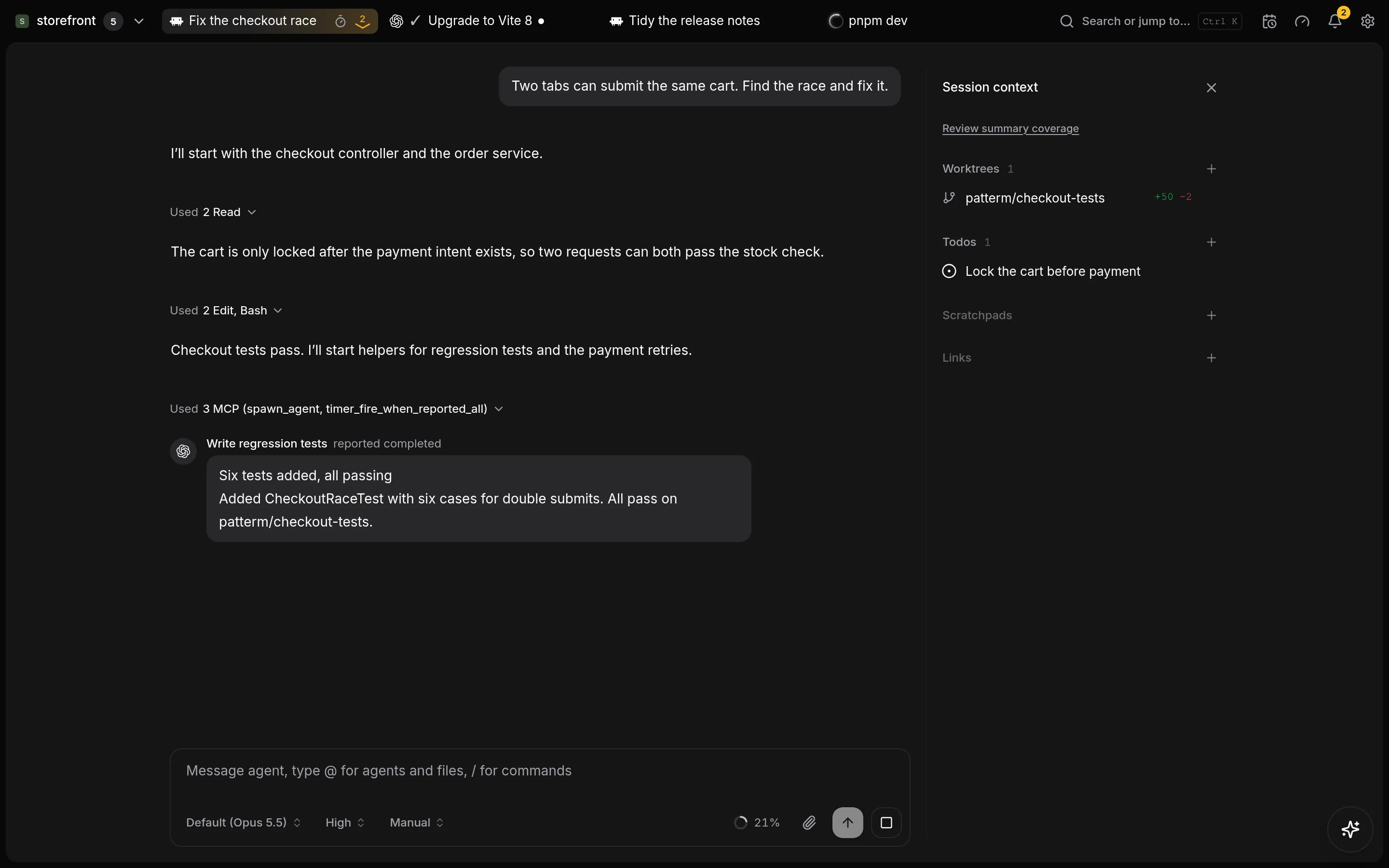
Patterm runs agent CLIs such as Claude Code, Codex and OpenCode for you, in a terminal or as an Integrated conversation. It sits around them. It does not replace them.
You install each CLI and sign in to it yourself. Patterm then launches it in your project folder, with your account's permissions, and gives you somewhere to see everything that is going on.
Patterm runs as a desktop app on Linux, or as a background service on a Linux machine that you open in a browser. See Installation.
What Patterm is not##
- It is not an agent. It never calls a model API and holds no model credentials.
- It does not change how your agents work. Each CLI keeps its own permission prompts, commands and resume behaviour.
- It does not commit or open pull requests. Agents use their own git and
ghworkflows, and Patterm only records the links they attach. - It does not record raw terminal output by default.
Core concepts##
Projects##
A project is a folder on the machine that runs Patterm. Everything else lives inside a project: its agents, processes, worktrees, todos, scratchpads and conversation history. You switch between projects from the project menu at the left of the top bar.
Agents and processes##
An agent is a running agent CLI. You launch one from the Launch agent menu and choose how it appears:
- Integrated, the default, shows the agent as a conversation, with cards for permission prompts and questions.
- TUI shows the CLI's own terminal interface.
See Integrated and TUI agents for the difference.
A process is any other command you run in the project, such as a shell or a dev server. Agents and processes both get a tab in the top bar. An agent that starts helpers shows them under its tab.
Worktrees##
Worktrees belong to a project. You can create a git worktree from Patterm or link one that already exists, then give an agent its own copy of the code to work in. Patterm never deletes a worktree's directory or branch. See Worktrees.
Diff review##
Select a worktree to read its changes file by file, and mark files as viewed as you go in the review deck layout. See Diff review.
Todos and scratchpads##
Todos are project tasks with a priority, status, assignees and blockers. Scratchpads are Markdown notes. Both can be attached to an agent's session, so the agent sees them as context, and agents can read and write them too. See Todos and scratchpads.
History##
Patterm imports your Claude Code, Codex and OpenCode conversations into one searchable list, including sessions you started outside Patterm. You can resume an old conversation from there. See Conversation history.
MCP tools for agents##
Every agent Patterm launches can call Patterm's tools over MCP. With them an agent can start helper agents and processes, message other agents, report back to a parent, ask you for a decision, set timers, and read or update its todos, scratchpads, worktrees and links. Patterm limits each agent to its own project's records.
You do not have to use any of this to get value from Patterm, but it is what lets one agent delegate to several and wait for their reports. See Agents that run agents and the MCP tool reference.
Where your data lives##
Projects, history and settings are stored on the machine that runs Patterm. Conversations are read from your agent CLIs' own records and are not sent anywhere by Patterm.