Todos and scratchpads
Todos and scratchpads are shared notes for a project. You and your agents both read and write them, and neither one owns any agent, process or worktree.
Use a todo for a unit of work. Use a scratchpad for freeform Markdown, such as a plan, a decision log or a handoff.
Todos##
Open a project's Todos page from the project navigation or the command palette.
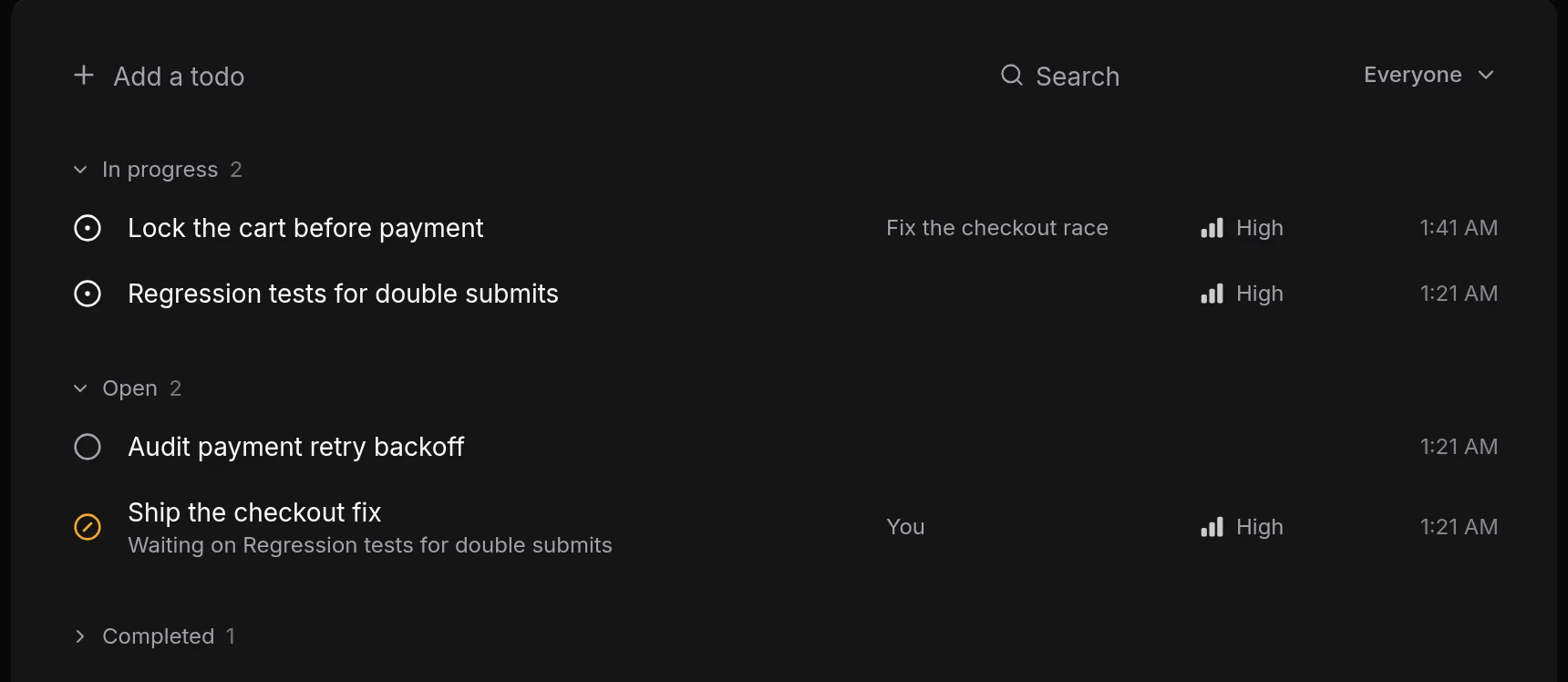
Add and find todos##
- Type in Add a todo and press
Enter. - Use Search to filter by text, and the assignee filter (Everyone, You or an agent) to see one person's work.
- Todos are grouped by status: In progress, Open, Backlog and Completed. Completed starts collapsed. Within a group, todos that can start come before ones that are waiting.
- Select a status icon to change a status in place. Select a title to open the todo.
Statuses and priority##
| Status | Meaning |
|---|---|
| Backlog | Not planned yet |
| Open | Ready to be picked up |
| In progress | Being worked on |
| Completed | Done |
A todo that waits on an unfinished todo shows as Blocked. You cannot set this yourself. It follows from dependencies and clears when the blockers are completed.
Priority is High, Medium or Low. Medium is the default and is not shown in the list.
The todo dialog##
Opening a todo shows these fields. Changes save automatically.
- Title and Notes (Markdown).
- Status and Priority.
- Assignees: You, or any agent session in the project. A todo can have several.
- Waiting on: the todos that must finish first. Patterm rejects a dependency that would create a cycle.
- Claimed by: appears while an agent holds a lease (see below), with a Release button.
- Links to issues and pull requests. See Links to issues and PRs.
The actions menu offers Copy as Markdown and Delete todo. A todo that other todos wait on cannot be deleted until you remove those dependencies.
Assignment and leases##
Assignment says who is responsible. A lease says who is actively working on it right now.
A lease is exclusive and expires. Agents can take one so that two of them do not pick up the same work. The default lifetime is 300 seconds and agents can renew it. Leases from agents that have exited are cleared automatically. Completing a todo releases its lease. It does not stop the agent or close any external issue.
As the owner, you can select Release on a Claimed by line to take a lease away. A completed todo must be reopened before it can be claimed.
Scratchpads##
Open a project's Scratchpads page.
- Active and Archived tabs list your notes, with a count. Use Search to filter.
- Select New to create one. A new scratchpad opens ready to type a title.
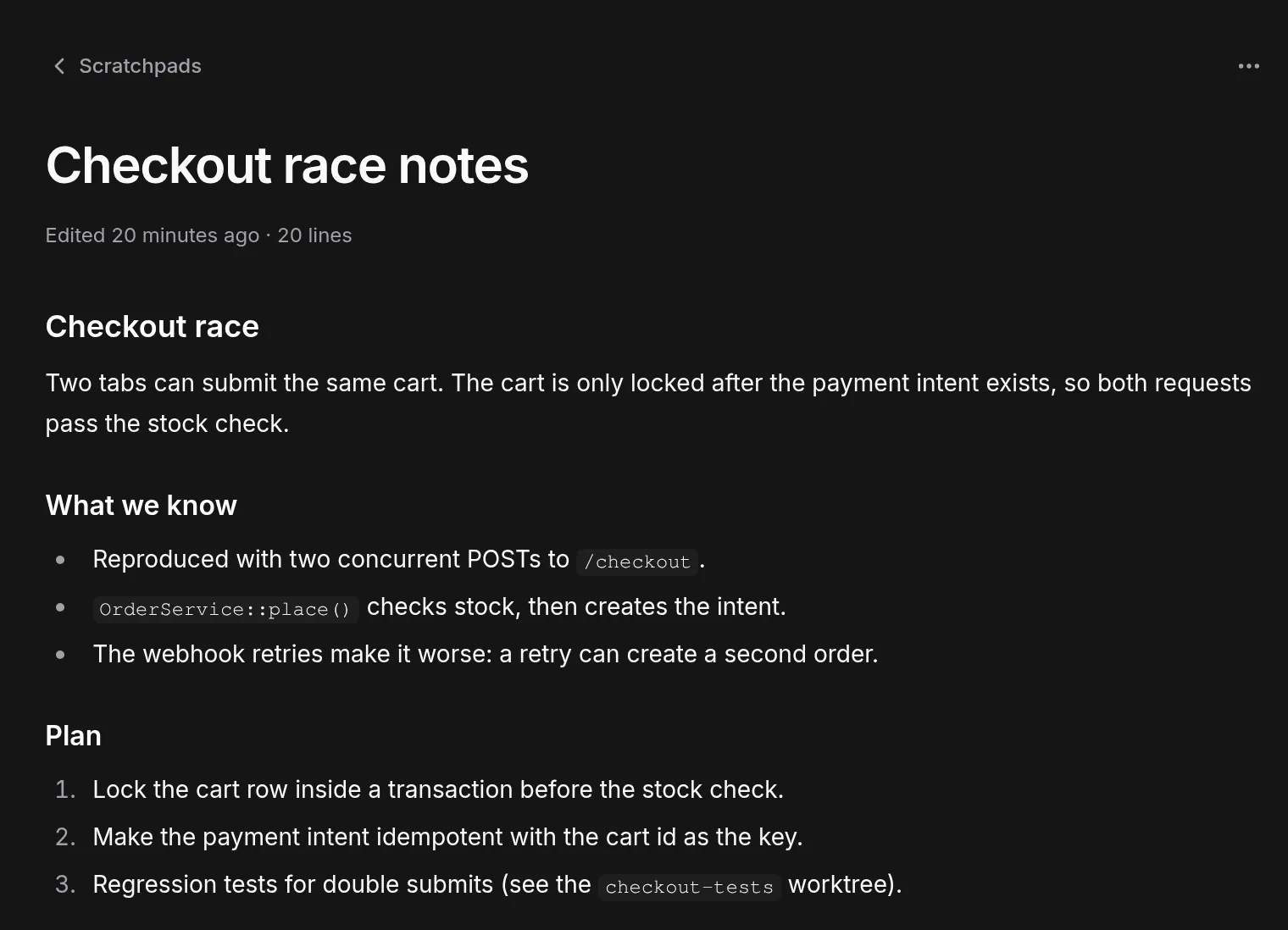
- Select a scratchpad to edit it. The content is Markdown and saves automatically.
- Use the archive button on a row, or Archive in the actions menu, to move a note to Archived. Restore brings it back. The menu also offers Copy as Markdown and Delete scratchpad.
If a save fails, or someone else changed the note first, Patterm keeps your draft in that browser tab and offers Copy draft, Reload latest and Retry save. Keep the tab open or copy the draft before you close it.
Titles can be up to 500 characters and scratchpad content up to 262,144.
Save terminal output##
When you select text in an agent's terminal, a Save selection to scratchpad button appears. It creates a scratchpad from the selection, named after its first line, and attaches it to that agent's session. Nothing from the terminal is saved unless you do this.
The session context sidebar##
Each agent has a session context sidebar that lists the todos assigned to it and the scratchpads attached to it, along with its worktrees, links and media. See Session context for the whole panel.
In Todos and Scratchpads, the plus button opens a search box that either picks an existing item or creates a new one. A todo created here is assigned to the session, and a scratchpad is attached to it. Unassigning a todo or detaching a scratchpad removes it from the session only. The item stays in the project.
When you resume an agent explicitly, its links, notes and unfinished assignments carry over to the new session. The resumed agent acquires fresh leases.
What agents can do##
Agents see their own session's items through session_context, and manage records with these tools:
| Area | Tools |
|---|---|
| Todos | todo_create, todo_list, todo_get, todo_update, todo_delete, todo_assign, todo_unassign, todo_dependency_add, todo_dependency_remove |
| Leases | todo_lease_acquire, todo_lease_renew, todo_lease_release |
| Scratchpads | scratchpad_create, scratchpad_list, scratchpad_get, scratchpad_update, scratchpad_append, scratchpad_delete, scratchpad_attach, scratchpad_detach |
Edits and deletions use a revision number, so a stale write fails instead of overwriting yours. List reads leave out note bodies, and scratchpad reads return up to 200 lines at a time (1,000 at most), so an agent pages through long notes.
An agent can only reach its own project's todos and scratchpads.